Survey Mode
Walk each room once. Stand still for 30 seconds. Forager captures the RF fingerprint and pins it to your floor plan. Survey a 30-room floor in 2 to 3 hours.
Coverage Dashboard
See every room's survey quality at a glance: green (ready), yellow (weak signal), gray (not surveyed). Stale rooms flag automatically after 90 days.
Presence Confirmation
The daily workflow. Open the app. Forager identifies the room from ambient RF. Scan barcodes. Each scan is a timestamped compliance record: asset, room, tech, time.
Attestation Log
Full history of every confirmation: matches, mismatches, and new asset discoveries. Filter by type. Your IT director can pull an audit-ready export from the web dashboard.
Device Hunt
Need to find a specific asset? Search by tag and see its last confirmed location, who confirmed it, and when. Narrow the search before you leave the desk.
CMDB Auto-Push (optional)
All location features work without a CMDB connection. When connected, every confirmation POSTs to ServiceNow or any webhook-capable CMDB within seconds: no manual entry, no batch jobs.
PMI Compliance
Store inspection schedules on each asset record. The compliance dashboard surfaces overdue and upcoming devices automatically, sorted by urgency. Export audit-ready reports for Joint Commission, DNV GL, or ISO 55000 on demand.
Remediation Sprints
When a mass incident affects a specific asset group, build a sprint from the affected list. Forager assigns devices by last-known location, navigates techs there via floor plan, and tracks resolution progress in real time.
Floor Plan Visualization
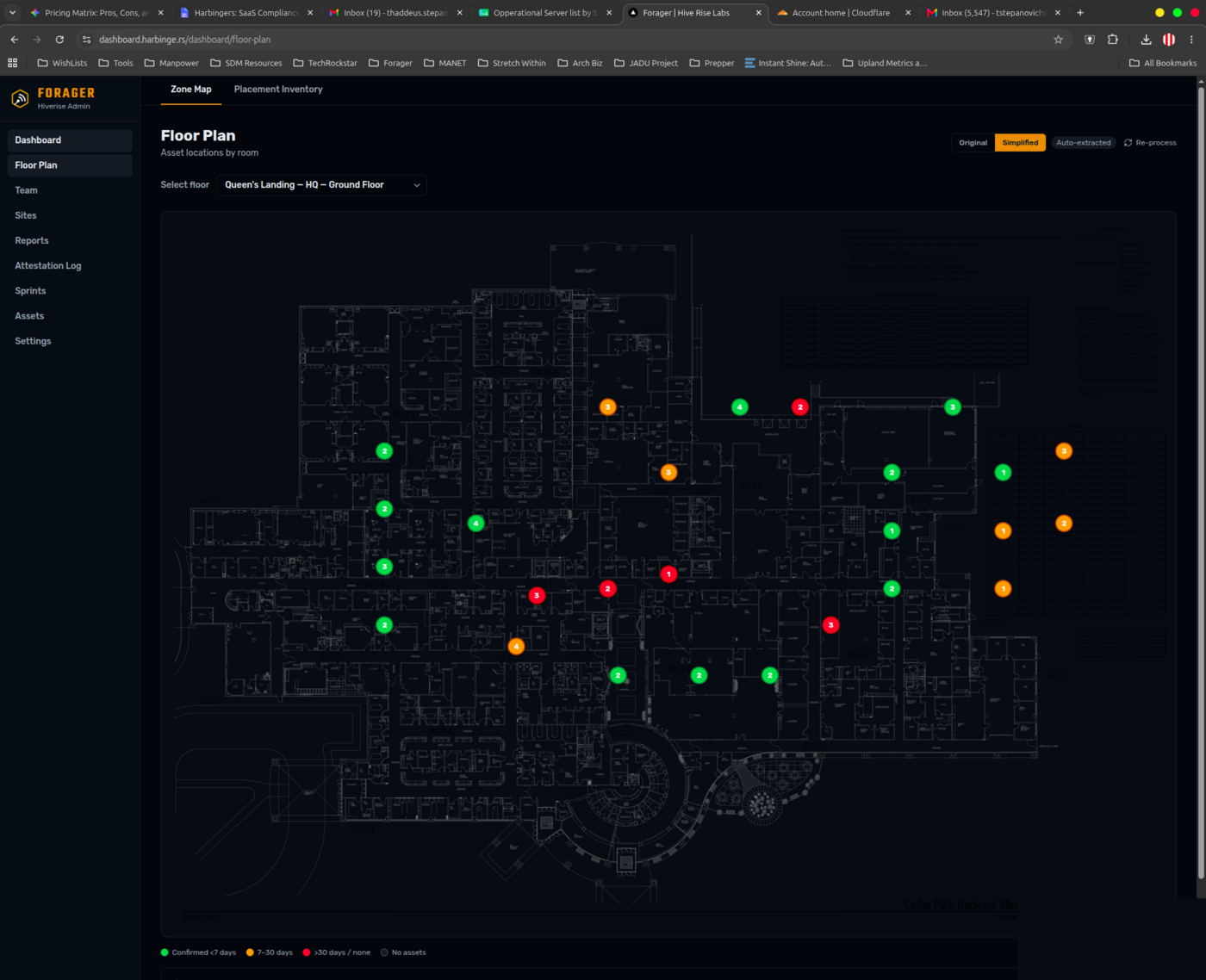
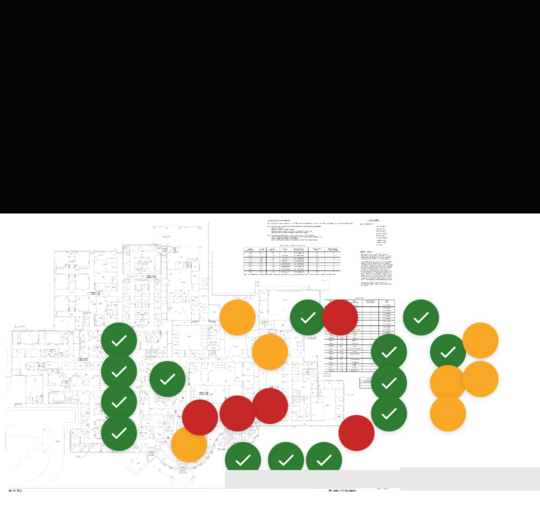
Upload your floor plans. Assets appear at their last confirmed location. Overdue assets highlighted. Navigate directly from the map; contractors who've never been in the building find their assigned devices without a briefing.
Photo Attestation
Automatically captures a tight crop of the physical asset tag at scan time, with no extra step from the tech. The photo is linked to the attestation record. Proves physical presence, not just that a barcode was scanned.
Inventory Placement Mode
Contractors place assets on a floor plan by scanning a barcode and tapping the map, before any zones are named or surveyed. Wall-to-wall inventory without waiting for RF setup.
Team Management
Administrator, Team Lead, and Field Tech role tiers. Leads scoped to their assigned sites. Contractors get access to exactly what they need, nothing more.
Multi-Site Support
Manage multiple locations from one account. Each site has its own floor plans, assets, dashboards, and inspection schedules. Full-fleet view across all properties.
Hardware Scanner Support
Works with Zebra and Honeywell enterprise devices via DataWedge. Auto-detected on first launch. For camera-restricted environments and high-volume scanning workflows.
Payload Formatter
Select your target CMDB (Freshservice, Jira Assets, BMC Helix, Ivanti) and Forager reformats outbound webhook payloads to match that system's expected schema. No middleware required.
Self-Hosted Deployment
Enterprise customers who cannot use cloud infrastructure receive a custom APK built against their own Supabase instance. License expiry enforcement, MDM distribution support, Harbinge.rs-managed build pipeline.